
How to Opt In to Fertigator Texts
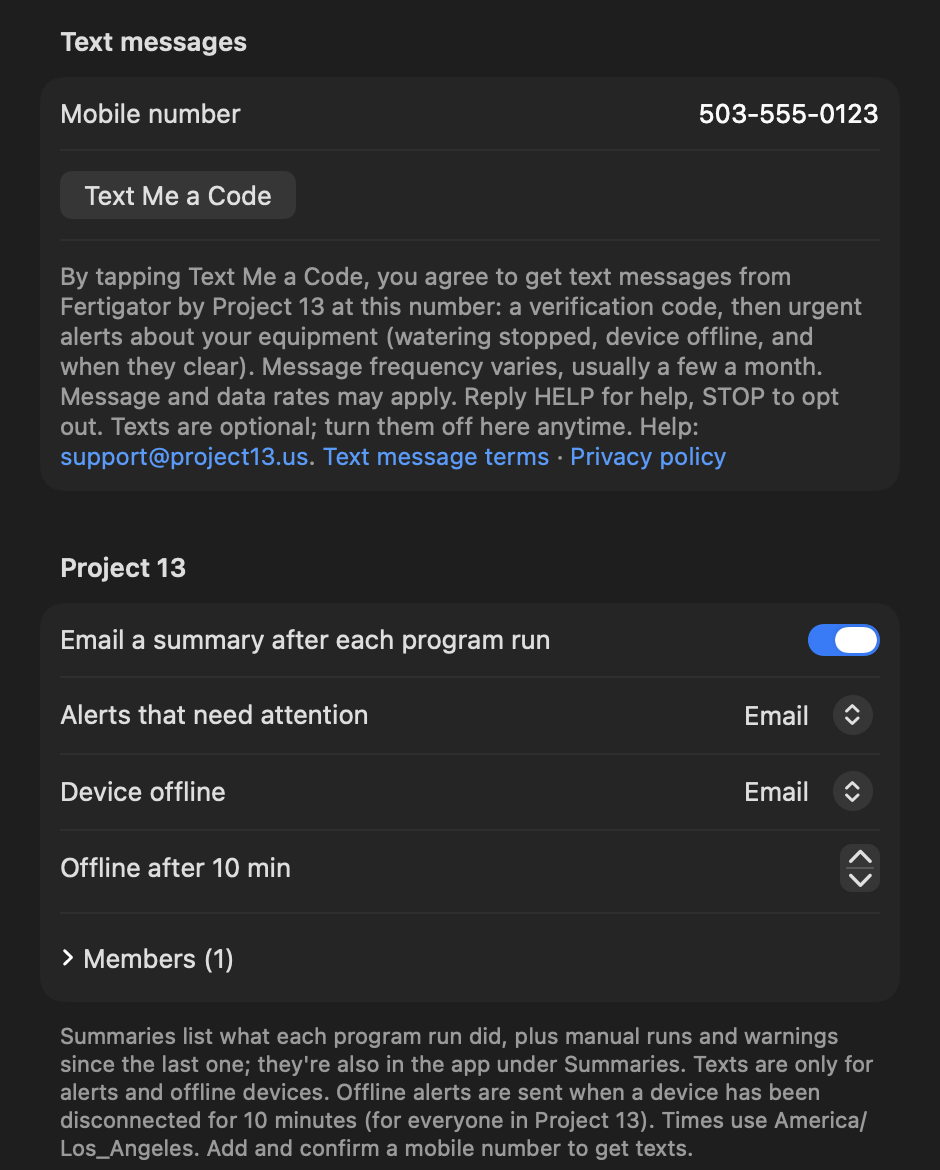
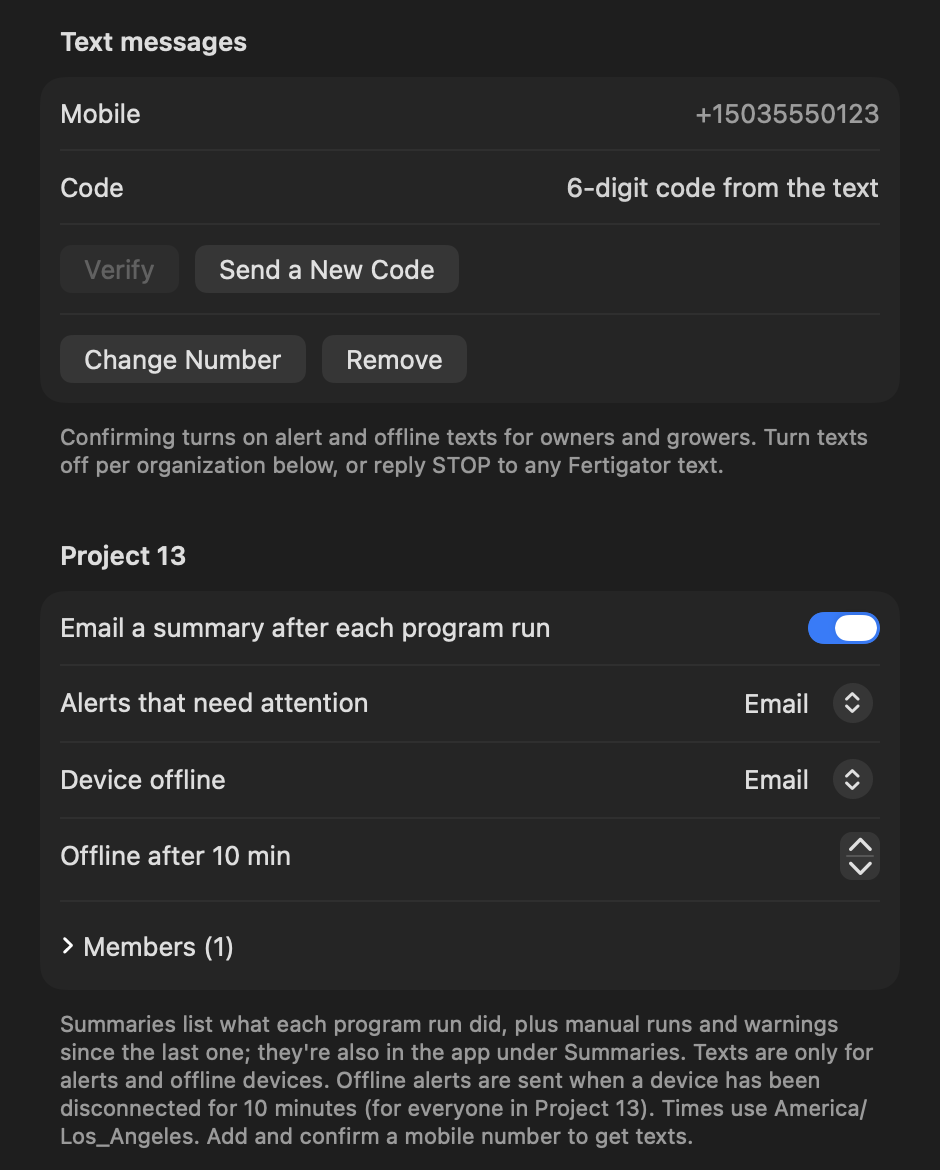
Fertigator text messages are optional and off by default. Only a signed-in user of the Fertigator app can turn them on, for their own mobile number, in the app’s Account › Notifications › Text messages screen. That screen is behind sign-in, so this page shows it with screenshots. The full program terms are in our text message terms.
1. Enter a mobile number and agree
The user enters their mobile number and taps Text Me a Code. The consent text is shown right beside the button:
“By tapping Text Me a Code, you agree to get text messages from Fertigator by Project 13 at this number: a verification code, then urgent alerts about your equipment (watering stopped, device offline, and when they clear). Message frequency varies, usually a few a month. Message and data rates may apply. Reply HELP for help, STOP to opt out. Texts are optional; turn them off here anytime. Help: support@project13.us. Text message terms · Privacy policy”
2. Confirm the number with the code
We text a one-time 6-digit code to that number. Nothing else is ever sent to a number that hasn’t been confirmed. The user enters the code and taps Verify; only then are alert texts turned on.
What we send after opting in
Account notifications only: urgent alerts about the user’s own equipment (for example a watering that stopped or a controller that went offline) and a short notice when they clear. Usually a few messages a month. No marketing or promotional texts.
How to opt out
- Reply STOP to any Fertigator text.
- Turn texts off in the same screen in the app, or remove the number.
- Use the “Stop text messages” link in any Fertigator email.
Texts are never required to use Fertigator: every alert is also available by email and in the app. Reply HELP for help, or contact support@project13.us or 503-329-0787. See also our privacy policy.